Boot Process
TrinityX core philosophy is that only controller nodes should have stateful and persistent storage, in order to allow its configurations to persist across reboots.
All other machines managed by the controller, such as compute, storage, or login nodes are configured to boot from network. Whether they then run from RAM or install to a local disk is decided per group or node by the node installer; the default is to run from RAM. The image files required to boot those nodes are stored on the controller and managed by the Luna daemon, which configures the controller to act as a boot server.
See also: for the daemon-internal view of this flow — how
base/boot.pyassembles the iPXE / node-boot / installer templates, thetempl_installsegments, and the node-sideluna2-clientpre-pivot hook — see luna2 daemon architecture.
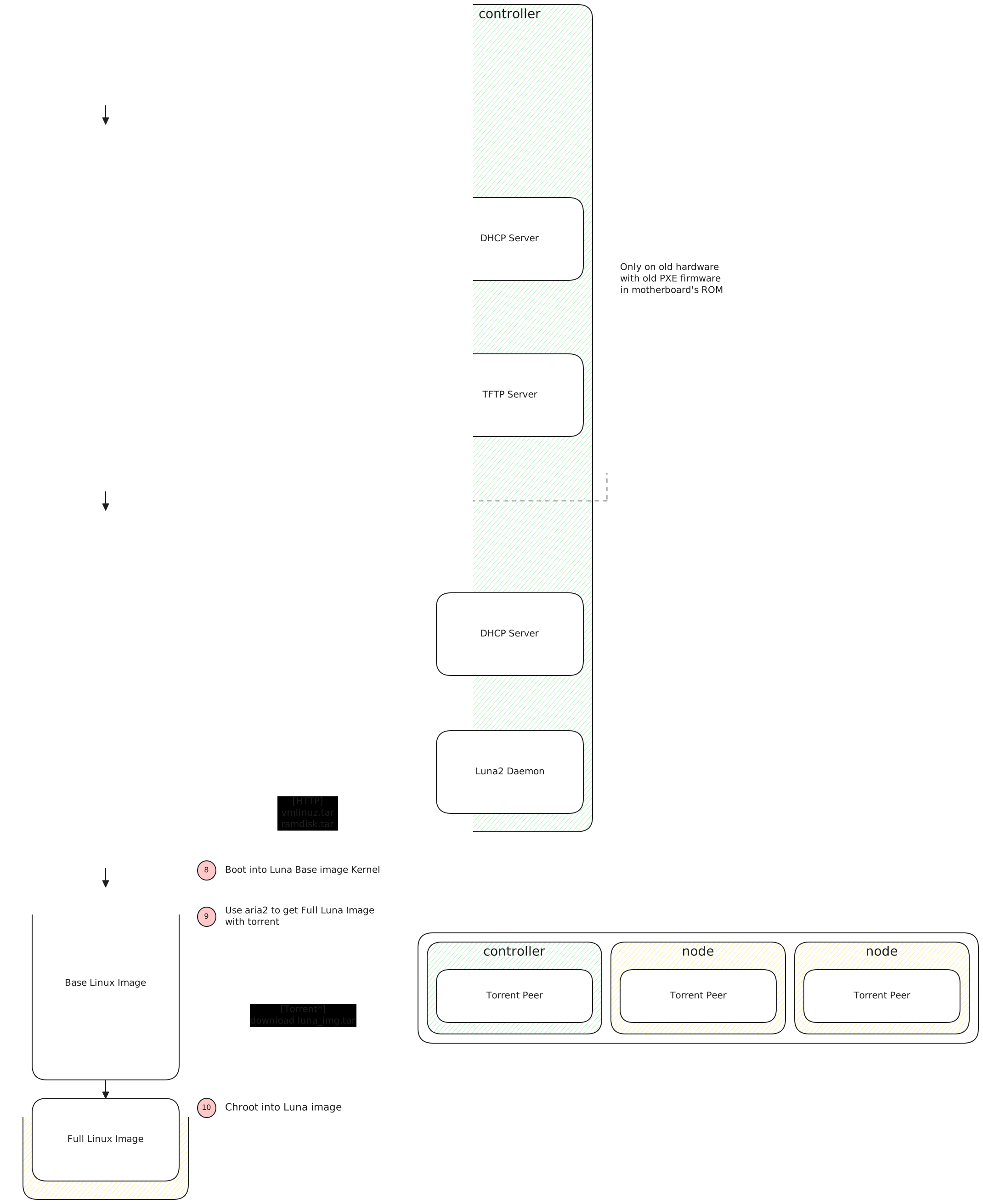
The boot process works as follows:
- Power Up the machine, either the BIOS or UEFI code will be read from ROM, firing up the first-stage bootloader.
- Select the network boot option, this will load the code to initialize the Network interface and perform the required DHCP and TFTP operations.
- Send a first boot request with DHCP and get the location of the second-stage bootloader (iPXE)
- Download the second-stage bootloader (iPXE) with TFTP
- Chainload the second-stage bootloader (iPXE) and boot from there
- Send a second boot request with DHCP and get the location of the Luna image
- Download the Base Luna image containing the kernel, aria2 and essential utilities with HTTP
- Boot Base Luna image
- Use aria2 to download Full Luna Image
- Chroot into Full Luna Image
Following a boot
luna boot status shows where the cluster is in a (re)boot, from the state every node reports
as it goes. It asks nothing of the nodes themselves, so it answers as quickly for a thousand
nodes as for ten.
# luna boot status
+------------------------------------------------------------------------------------------------------------------+
|                                                << Boot Overview >>                                               |
+---+---------------+---------------+------+----------+--------+--------+------+---------+-------+-----------------+
| # |     group     |    osimage    | ipxe | download | unpack | config | done | unknown | total |     progress    |
+---+---------------+---------------+------+----------+--------+--------+------+---------+-------+-----------------+
| 1 | compute-group | compute-image |  2   |          |        |        |      |    1    |   3   |  .......... 7%  |
| 2 |  osgrab-group |  osgrab-image |      |          |        |        |  1   |         |   1   | ########## 100% |
+---+---------------+---------------+------+----------+--------+--------+------+---------+-------+-----------------+
+--------------------------------------------------------------------------------------------------+
|                                       << Boot Progress >>                                        |
+------------+-------------------------------------------------------------------------------------+
| total      | [###########.........]  55%   2 nodes in this boot                                  |
+------------+-------------------------------------------------------------------------------------+
| discovered | [####################] 100%      2/2   ipxe asked for a boot                        |
| rendered   | [####################] 100%      2/2   installer handed out                         |
| prepared   | [##########..........]  50%      1/2   scripts, prescript, bmc, partscript          |
| downloaded | [##########..........]  50%      1/2   image fetched                                |
| unpacked   | [##########..........]  50%      1/2   unpack, or the lpart part phase              |
| configured | [##########..........]  50%      1/2   setnet, secrets, postscript, roles, profiles |
| booted     | [##########..........]  50%      1/2   up and reported in                           |
+------------+-------------------------------------------------------------------------------------+
| stuck      | 1 silent for over 1h00m   1 in rendered   worst node001 19h16m                      |
+------------+-------------------------------------------------------------------------------------+
The Boot Overview counts nodes per group and the osimage they boot (a node's own osimage
where it overrides its group's), by the phase they last reported: ipxe, download, unpack,
config, done, or unknown for a node that has reported nothing Luna recognises.
The Boot Progress reads the same boot node by node, one bar per milestone. Each bar counts the nodes that have reached that milestone, so the counts only go down from top to bottom, and the bar that has stopped moving is where the boot is being held. The progress percentages weigh the stages by how long they usually take: downloading and unpacking the image are most of the wait. Nodes installed with lpart report its phases as well; they fold into the same milestones.
A finished node looks the same as one that booted weeks ago, so the view decides which nodes
belong to this boot: every node that has reported since the oldest report among the nodes
still in flight. When nothing is in flight, the header says no boot in progress and every
node in scope is counted.
A node that has not booted and has reported nothing for over an hour is stuck. Stuck nodes
are summarised by the stage they stopped in, because at scale that is the diagnosis: a rack or a
switch fails, not one node. The worst node is named; -v lists the stuck nodes by name, the
first twelve and a count of the rest.
# luna boot status -g compute-group     # one group only
# luna boot status -a                   # every node in scope, not only this boot
# luna boot status -v                   # name the stuck nodes
# luna boot status -R                   # the same as JSON
The node's serial console
To follow a boot through the BMC's serial-over-LAN, the kernel needs a serial console= option.
TrinityX leaves it out by default: a console= that names a port the board does not have can hang
the boot, not only lose the output. Once a booted node has shown which port it uses, add the
console to the image's kernel options with luna osimage change. Kernel options set on a group
or a node with luna group change or luna node change replace the image's instead of adding to
them, so they have to carry the complete line.
When the port is known before the installation, it can be set in group_vars/all.yml:
| Variable | Default | Meaning |
|---|---|---|
luna_console_redirection |
false |
add the serial console to the kernel options of the images the playbooks create |
luna_console_kerneloptions |
console=tty0 console=ttyS0,115200n8 |
the options added |
The playbooks add the options to a new image, and to an existing image only when its kernel
options have no console= yet, so a console set by hand is kept. ttyS0 is COM1, the port most
likely to exist; serial-over-LAN usually sits on COM2, ttyS1. The last console= gets the login
prompt, so the serial entry goes last.